

Thanks to Bianca, my fellow Outreachy-Lightbeam project partner for coining the above title in her blog and asking me questions to explain about the bug(PR) I recently fixed for Lightbeam. I started explaining her last evening via quick diagrams and I already had an idea to make my next blog post colourful 😉
I have been inspired by Lin Clark’s code cartoons and Mariko Kosaka who always draw and make technical reading fun! Here is an attempt to write a post and explain Lightbeam’s store architecture via diagrams 🙂
To revamp Lightbeam into a web extension we decided to follow the following architecture:
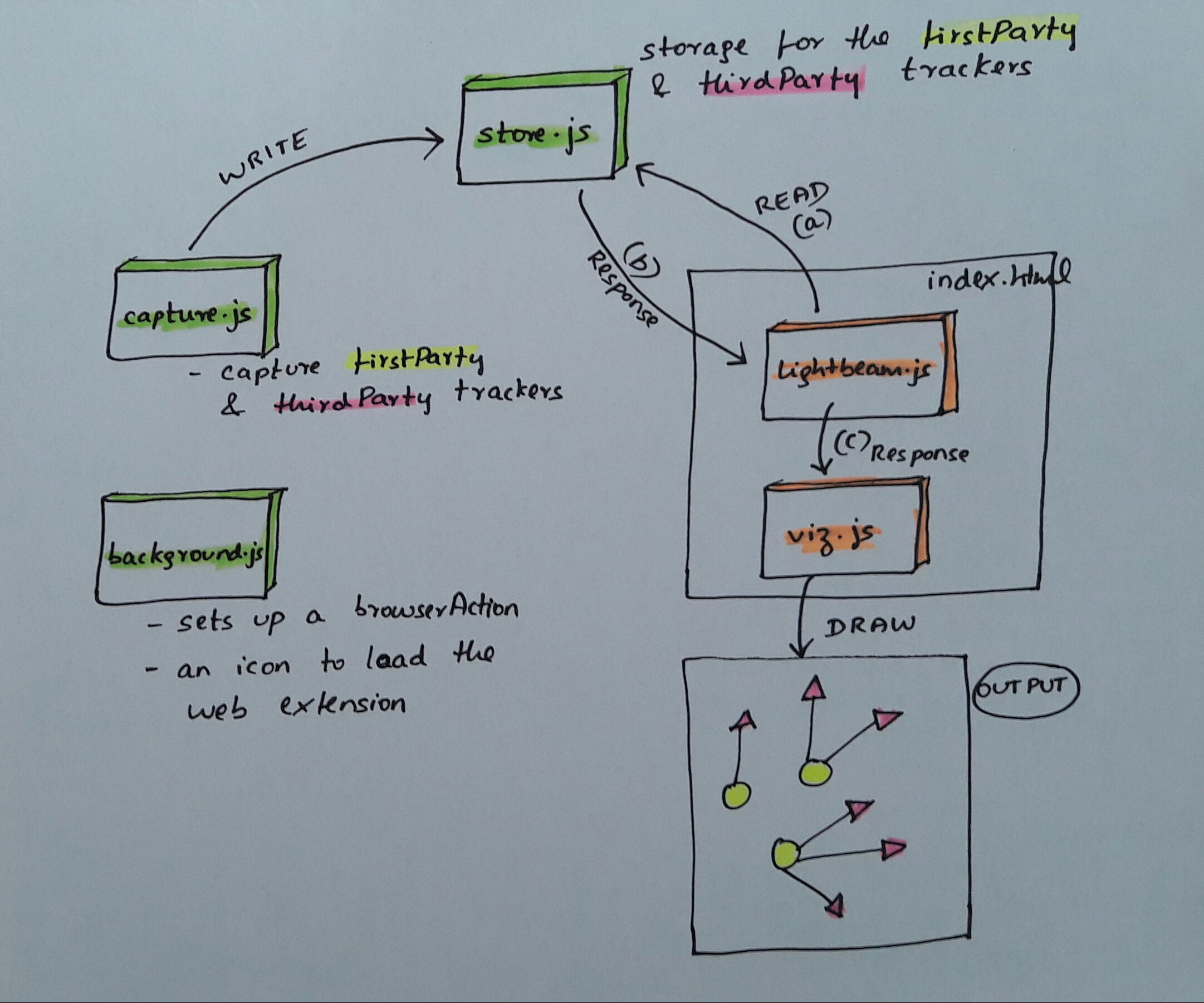
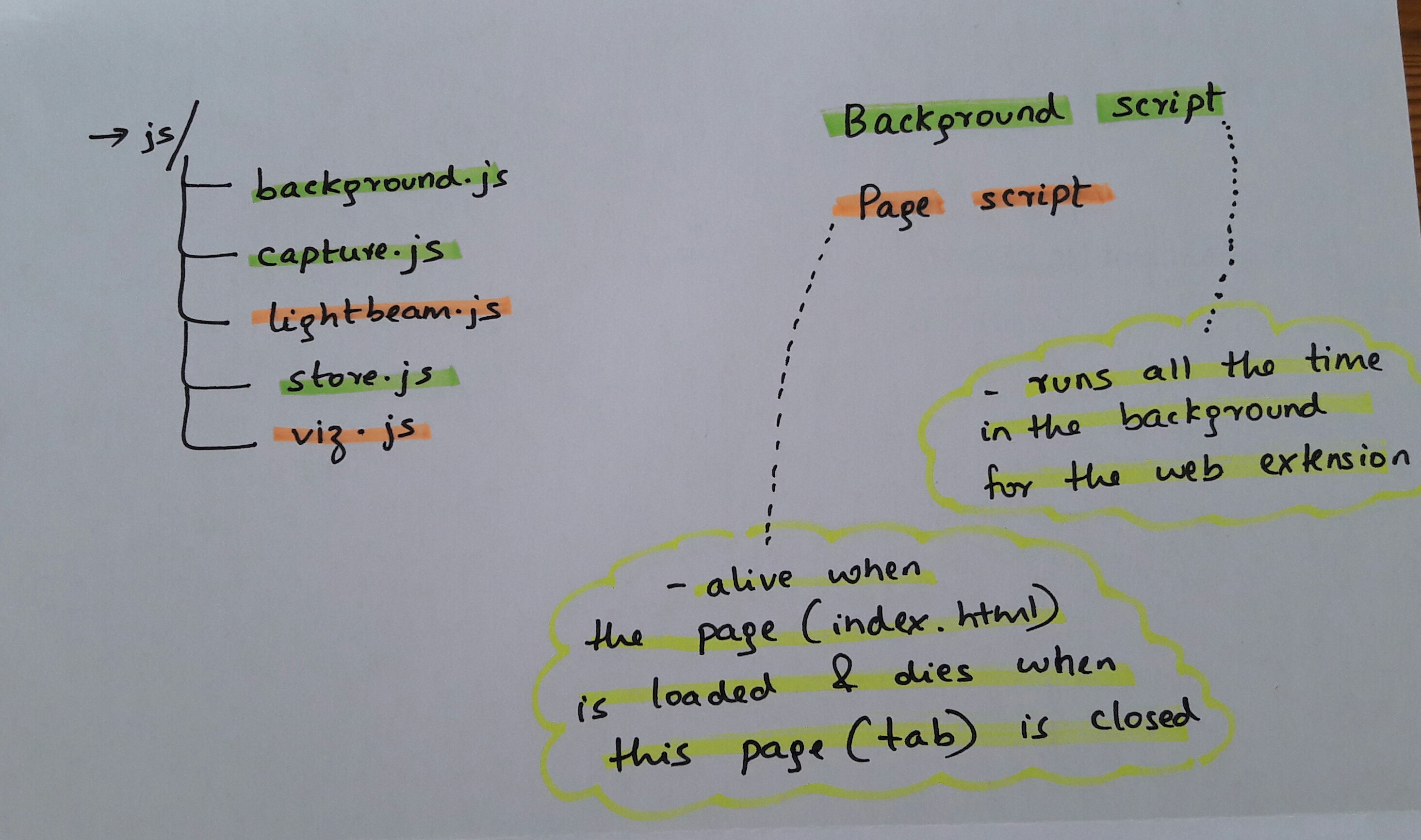
A web extension consists of a collection of files and we employed the following directory structure to achieve the above architecture:
We were able to chalk out an MVP soon, everything behaved as expected, until we found this bug.
- Open Lightbeam
- Open console
- Clear the storage manually through the console:
browser.storage.local.remove('websites').then(()=>console.log('removed')).catch(err=>console.log(err))- Also set
store._websites=nullmanually through the console- Refresh the page – graph disappears
- Refresh the page again, graph appears with old values
Thanks to Jonathan for pointing out that there were two store instances created and thus began – ‘tale of 2 stores’.
Following was the code implementation to achieve the above architecture:


The problem with this approach was that store.js file was loaded from two different places and that’s how we ended up having two store instances.


In other words, this was the problem:

Now to debug the above specified bug:
capture.jshad one store instance because ofstore.jsloaded via background scriptlightbeam.jshad another store instance because ofstore.jsloaded via thescripttagindex.htmlpage was loaded andlightbeam.jsgot the required websites to display viagetAll()from it’s store instance- Next, web extension storage was manually cleared via
browser.storage.local.removeandstore._websiteswas explicitly set tonull- in the first page load, there was nothing to display because the
getAll()returned nothing from it’s store instance (because of the above manual deletion) - on second page load,
capture.jshad done asetFirstParty()call to it’s store instance which in turn wrote to thebrowser.storage.local.setcapture.jsis triggered when a tab (re)loadscapture.js‘s store instance had its copy of_websitesalready populated (when the manualstore._websites=nullwas done, it was done on lightbeam’s store instance) andsetFirstParty()used this already populated_websitesvalue and wrote to thebrowser.storage.local.set
- in the first page load, there was nothing to display because the
- This is how the visualisations appeared back on the second page load
To fix this bug, we now have storeChild.js which acts as an interface, or is the only point to talk to the background store.js. With the child and parent architecture, the parent will always be in charge of when the write happens and so will serialise the writes which will behave like a locking database.

The page script storeChild.js talks to the background script store.js via message passing.





 Princiya Sequeira
Leave a comment