

In this post I shall discuss all (most of) the math involved in the visualisations. A quick recall:
Lightbeam is now responsive and fully interactive.

Tooltips
The math behind tooltips is the sequel to my blog post Lightbeam – Tooltips (SVG).
Read this blog post to understand Lightbeam’s migration from SVG to Canvas.

Ignore the transforms and the inversions (this.transform.invert) in this post. Those are part of d3-zoom and explaining the math of this and d3-force is beyond the scope of this blog post.
mousemove event is registered on the canvas element itself.
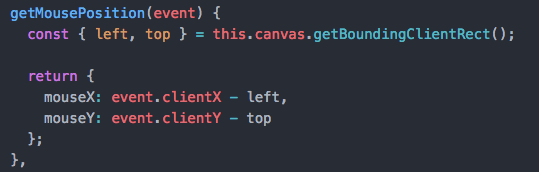
The mouse <clientX, clientY> positions are re-calculated w.r.t the canvas’s bounding rectangles. This ensures the mouse coordinates are confined to the canvas’s area.
getNodeAtCoordinates(x, y) returns a node, if a node is present at the given <x, y> values.


D3’s force layout has simulation.find(x, y[, radius] which returns the node closest to the position <x, y> with the given search radius. I chose to write isPointInsideCircle() to find out if a node exists at the given <x, y> values. The intention here is to isolate the logic from D3 specific as much as possible.
isPointInsideCircle():
When you hover over the canvas, and if the mouse coordinates are inside any circle, then there is a node present at these coordinates.

The point <x, y> is
- inside the circle if
d < r - on the circle if
d = r - outside the circle if
d > r
Square roots are expensive. Hence d is compared with r*r!
CSS:


Tooltip position:
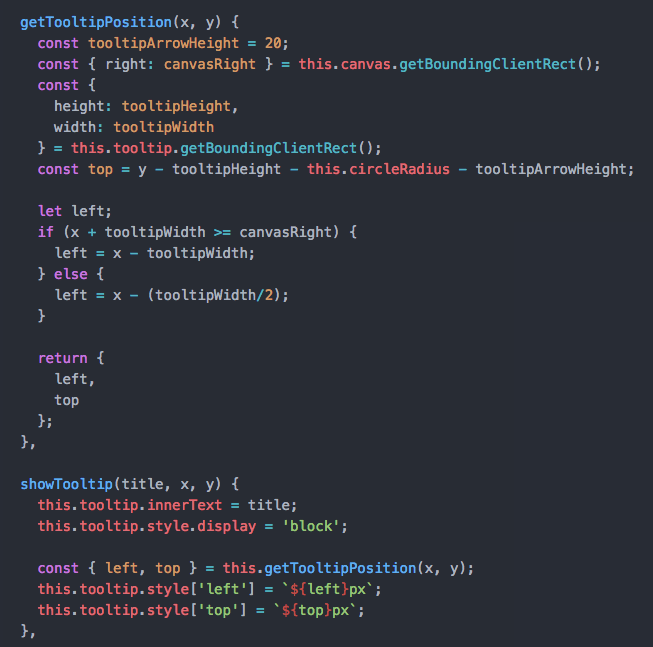
The tooltip has position: absolute.
Because of this property, there is a need to check the tooltips’ left property doesn’t exceed the canvas’s right property, else there will be horizontal scrollbar on the parent container because of overflow-x.
x+tooltipWidth >= canvasRight takes care of the overflow and sets left to x-tooltipWidth.
Setting left to x-tooltipWidth/2 ensures the tooltip arrow is centre aligned to the node.
Favicons
If a favicon exists for a given node, then it is drawn.

The favicon is drawn at the centre of the circle (firstParty) or triangle (thirdParty).
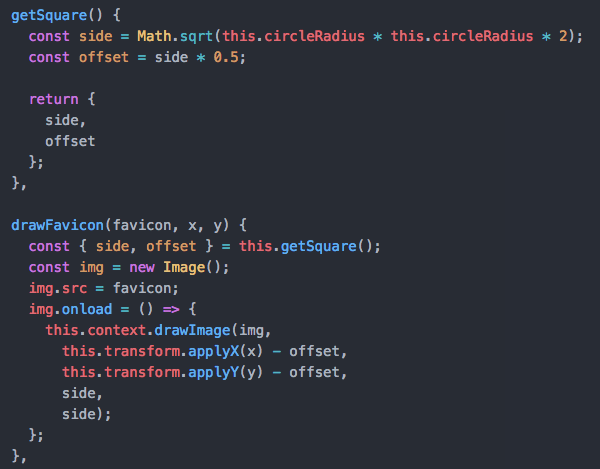
A square that fits exactly in a circle has a side length of sqrt(2) * radius.
firstParty & thirdParty nodes
Given that we are drawing on a canvas, firstParty is a circle on the canvas. thirdParty is an equilateral triangle.

Given the centre of the circle is at <x, y>, r is the radius of the circumcircle and dr is the radius of the incircle.

zoom and drag
d3-zoom and d3-drag are used to achieve the zoom and drag behaviours respectively. It is quite complex when the two are combined. If you click and drag on the background, the view pans; if you click and drag on a circle, it moves.


d3-drag requires a dragSubject. I am using the same getNodeAtCoordinates(x, y) function which is used to show the tooltips and the logic remains same. This is how drag and zoom are combined for Lightbeam. If there is a node, (dragSubject) then it drags, else it pans.
Here is the d3-zoom implementation.
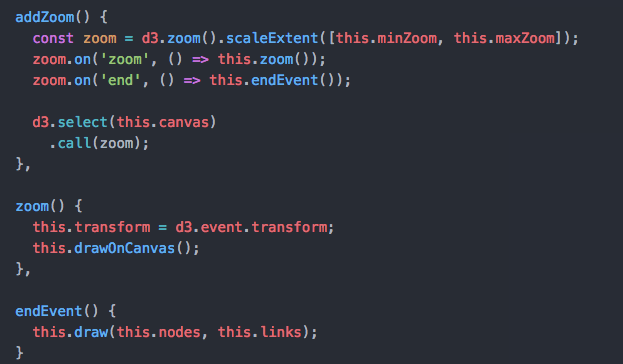
The tricky part here is the need to distinguish between two coordinate spaces: the world coordinates used to position the nodes and links, and the pointer coordinates representing the mouse or touches. The drag behaviour doesn’t know the view is being transformed by the zoom behaviour, so we must convert between the two coordinate spaces.
This is where transform.invert or transform.apply come into play.
I hope I have done justice to the math in this post!





 Princiya Sequeira
Leave a comment